

Stop Guessing: How to Track Venmo Payments From Players
Stop Guessing: How to Track Venmo Payments From Players

Stop relying on unstructured personal Venmo history to figure out who paid their league fees. The fastest safe fix is twofold: run a disciplined reconciliation process on your existing Venmo activity right now, and move toward a roster-integrated payment flow so this problem doesn't repeat every season. Roster Sports is built specifically for this: it ties payments to individual player records instead of leaving you to cross-reference a personal transaction feed against a group chat.
Your next 20 minutes:
- Export your Venmo transaction CSV for the current season.
- Open a spreadsheet and list every rostered player in one column.
- Match transactions to names, flag anything unclear, and message those payers today.
Key Takeaways
Reliable Venmo tracking for team fees depends on standardized payment notes, a weekly reconciliation routine, and an eventual move to a roster-integrated payment system.
| Point | Details |
|---|---|
| Export before you match | Pull a Venmo CSV for the exact date range and prep your roster fields first. |
| Standardize payment notes | Require a tag like "Season2026JSmith" so matching stops being guesswork. |
| Run reconciliation weekly | Match by amount, handle, and date, then escalate unresolved payments after 48 hours. |
| Know the policy risk | Venmo's U.S. user agreement bars commercial use of personal accounts and can lead to frozen funds. |
| Move to an integrated flow | Roster Sports ties payments to player records automatically and produces ready-made exports for treasurers. |
Table of Contents
- How to Track Venmo Payments for Your Team Right Now
- Manual Tracking, Business Profiles, or Integrated Payments?
- Building a Weekly Reconciliation Workflow That Actually Holds Up
- What to Keep for Bookkeeping and Dispute Resolution
- What Venmo's Policy Actually Says About League Payments
- Why This Problem Burns Out Volunteer Organizers
- Get Roster Sports Set Up Before Your Next Season
- Sources
How to Track Venmo Payments for Your Team Right Now
Start with the export. Venmo lets you download a CSV of your transaction history from a browser (not the mobile app), which gives you dates, amounts, and the note field for every payment you've received. That CSV is your raw material.
Before you touch it, prep your roster data. You need three fields ready for matching: full name, phone or email, and Venmo handle if you know it. Names alone won't cut it. Two players named Mike or Sarah will absolutely both show up on your roster, and Venmo notes rarely include last names.
- Export Venmo transactions for the exact date range covering your current season or game block.
- Sort by amount first. Fees are usually fixed, so anything close to your standard fee is a probable match.
- Cross-reference names and handles against your roster list, marking each transaction "confirmed," "probable," or "unclear."
- For anything unclear, message the payer directly rather than guessing.
A message like this works well: "Hey, I see a $45 Venmo payment on 3/12 but the note just says 'thanks' and I want to make sure I credit the right person. Was this for game fees or something else?"
Pro Tip: Ask every payer to put a standard tag in the payment note, something like "Season2026JSmith" or "Game5JSmith." One sentence in your group chat pinned message eliminates most of the ambiguity you'd otherwise spend an hour untangling.
Manual Tracking, Business Profiles, or Integrated Payments?
Three real paths exist for organizers, and picking the right one depends on how often you collect money and how much volunteer time you're willing to spend doing it.
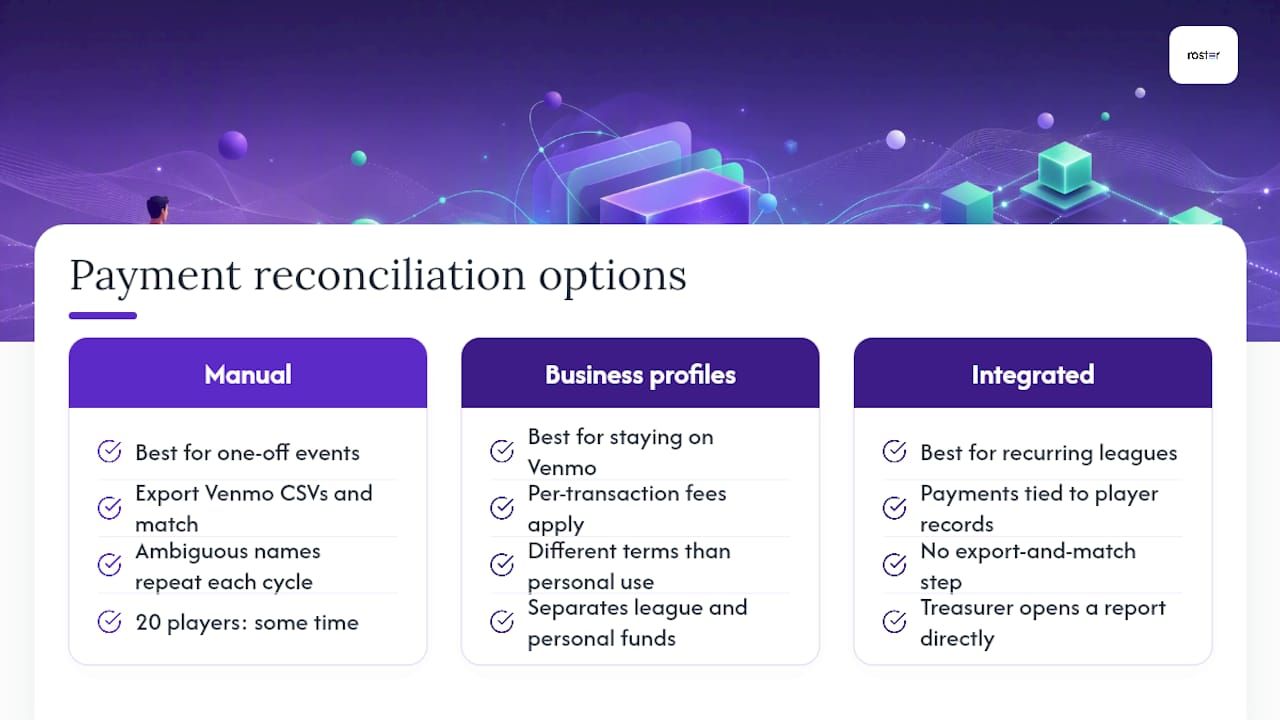
Manual reconciliation means exporting Venmo CSVs and matching them by hand, the process described above. It works fine for a single one-off event, a summer tournament, or a group that plays three times a year. It falls apart fast once you're running a recurring league, because the same ambiguous-name problem repeats every payment cycle, and the time cost compounds. A coordinator handling 20 players might spend some time reconciling. Handling a larger group across multiple teams can expand the reconciliation time to several hours weekly.
Venmo business profiles are Venmo's own answer to commercial use. They come with transaction fees on incoming payments and different terms than a personal account, but they keep you inside Venmo's ecosystem while creating a clearer separation between league money and your personal funds. This suits an organizer who wants to stay on a platform players already know and use, and who's willing to accept per-transaction fees in exchange for policy compliance.
Roster-integrated payment workflows tie every payment directly to a player record the moment it's made. There's no separate export-and-match step because the match already happened inside the system. Roster Sports ties payments to player records and supports CSV exports built for reconciliation, so a treasurer opens a report instead of building one from scratch.

Choose based on scale. A pickup game with eight regulars and no real turnover can survive on disciplined manual notes. A season-long league with waitlists, alternates, and multiple teams needs a system that doesn't depend on one volunteer's Saturday afternoon.
Building a Weekly Reconciliation Workflow That Actually Holds Up
A repeatable process beats a heroic one-time cleanup. Run this weekly, or immediately after each game if fees come in per game rather than per season.
Gather four inputs first: your Venmo CSV export, your current roster CSV, your log of payment requests sent, and any relevant chat confirmations from players about what they paid and when.
- Normalize the data. Strip extra spaces from names, standardize date formats, and confirm all amounts are in the same currency format.
- Match using amount plus handle plus date as your primary rule. If that triple matches a roster entry, mark it confirmed.
- For anything that doesn't match cleanly, fall back to amount plus rough timing plus the most likely payer based on chat context, then confirm with that person directly.
- Anything still unresolved after 48 hours gets marked "pending" rather than guessed at. Send one follow-up message, then escalate to a direct ask if there's no response.
- At season's end, generate a final export and archive it. That becomes your record if a dispute comes up months later.
A simple reconciliation log, kept as its own CSV, prevents the same payment from getting investigated twice:
| Field | Purpose |
|---|---|
| match_id | Unique identifier for the reconciliation entry |
| venmo_tx_id | Reference to the original Venmo transaction |
| payer_handle | The Venmo username tied to the payment |
| matched_player_id | The roster entry the payment was matched to |
| match_rule_used | Which of the three matching rules applied |
| timestamp | When the match was confirmed |
This log survives volunteer turnover in a way a mental map of "who paid" never does. Whoever takes over as treasurer next season inherits a working system instead of a mystery.
What to Keep for Bookkeeping and Dispute Resolution
Keep more than just the payment amount. If a dispute comes up in month four, you'll want the full picture, not a half-remembered Venmo note.
- Payer's Venmo handle and their full legal name as it appears on the roster.
- Exact date and amount of the payment.
- The game or season tag the payment applies to.
- The original note text, copied verbatim, plus a screenshot of the transaction as backup.
Organize archives by season folder, then by team if you run multiple: 2026-Fall/TeamA-Payments.csv
is far more useful six months from now than a single sprawling spreadsheet with no structure. Integrated systems skip most of this manual filing. Stripe payment confirmations
inside Roster Sports generate a receipt automatically at the moment of payment, so the audit trail exists before you'd even think to build one by hand.
What Venmo's Policy Actually Says About League Payments
Venmo's own terms create real risk for organizers who treat a personal account like a business tool.
Venmo's U.S. user agreement prohibits using personal accounts for business, commercial, or merchant transactions, and warns that violating this can lead to account limitations or funds being held.
Collecting recurring league fees from a dozen or more players arguably falls into that gray zone, and enforcement isn't hypothetical. If your account gets limited, contact Venmo support immediately, document every transaction you can, and set up an alternative way to collect money while you sort it out. The longer-term fix is separating league funds from your personal account entirely, either through a Venmo business profile or a roster-integrated payment system built for exactly this purpose.
Why This Problem Burns Out Volunteer Organizers
Treasurers don't quit because they hate spreadsheets. They quit because reconciling Venmo notes against a group chat at 11 p.m. feels like unpaid detective work with no end date. That fatigue is why institutional knowledge walks out the door with every departing volunteer, taking a season's worth of "who paid what" with it. Systems that tie payment to player record the moment money moves aren't a convenience. They're what keeps someone willing to run the league next year.
— Daniel
Get Roster Sports Set Up Before Your Next Season
Roster Sports replaces the CSV-and-guesswork routine entirely by tying every payment directly to a player's roster spot the moment it clears.
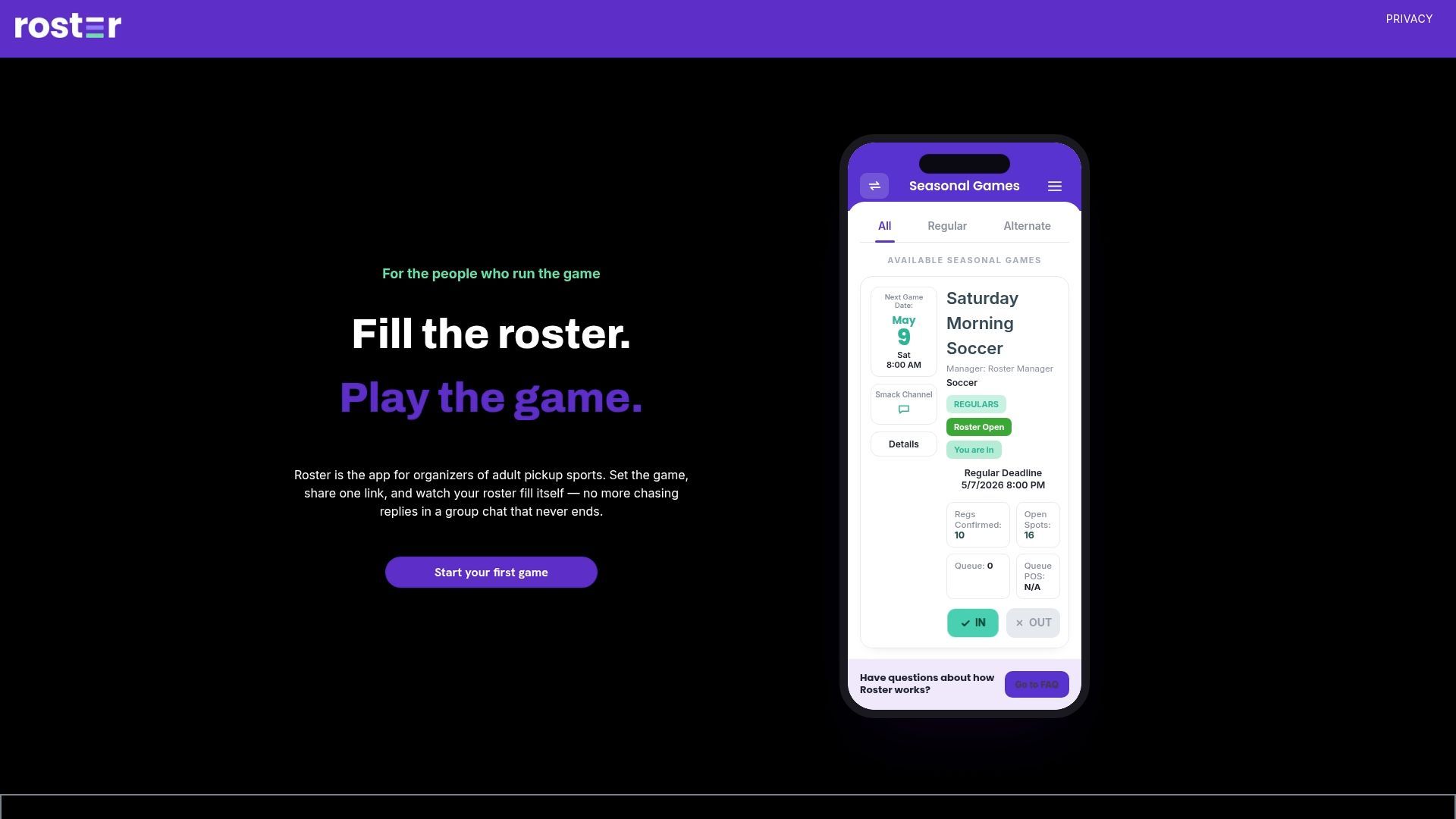
No more cross-referencing a Venmo note against a group chat to figure out who "J.S." actually is. Payments, receipts, and roster status live in one place, and treasurers get exports built for reconciliation instead of raw transaction dumps. Billing runs on the organizer's card on file, per rostered player per season and per alternate per game, which keeps league money entirely separate from your personal Venmo account. If you also want a broader look at team-management tools in this space, Athlo covers general team-organizing features worth knowing about. To see how Roster Sports handles payments and rosters together, check out the Roster Sports app and get your next season set up before the first game fee comes in.
Recommended