
Cut No Shows: Pickup Game RSVPs, 6 Step Checklist for Organizers
Cut No Shows: Pickup Game RSVPs, 6 Step Checklist for Organizers
The fastest way to stop pickup-game chaos is a single-shared RSVP link with a live headcount and an automatic waitlist. It shows exactly who's confirmed, who's alternate, and when a spot opens, so nobody has to scroll 80 messages to find out if game night has ten players or six. Roster Sports built its whole platform around this idea for basketball, soccer, and other rec sports, where a typical player cap is common for many pickup games and one no-show can sink the whole night.
TL;DR:
- A live RSVP link with a real-time headcount and automated waitlist reduces confusion and reliably maintains the desired group size for pickup games.
- Setting a clear cap, enabling waitlist features, and sharing a pinned link helps keep the roster accurate and minimizes last-minute no-shows.
- Automated reminders and a final check on game day improve attendance, while small no-show fees can increase commitment.
- For multiple weekly games, using dedicated roster apps that track payments and substitutes streamlines management and saves organizer time.
- Clear, simple invite messages with essential details and a direct RSVP link boost turnout, especially for first-time or casual players.
Table of Contents
- Quick Methods for Collecting Pickup Game RSVPs
- How to Set Up an RSVP Link That Keeps the Roster Accurate
- Invite Templates That Actually Fill Rosters
- Handling No-Shows, Dropouts, and the Waitlist
- The Unwritten Rules of Pickup Game RSVPs
- Your Next-Game Setup Checklist
- Why Simple RSVP Systems Keep Pickup Groups Healthy
- How Roster Sports Takes RSVP Headaches Off Your Plate
- Sources
Quick Methods for Collecting Pickup Game RSVPs
Most organizers start with whatever's already open: the group chat. It works fine for four or five regulars but falls apart fast once a group grows past eight or nine people, because nobody can tell who actually said yes versus who just reacted with a thumbs up three days ago.
Here's how the common methods stack up:
- Group chat roll call : Free and familiar, but headcounts get buried under side conversations. Fine for tight-knit groups of six or fewer who already know each other's habits.
- Signup links (no app required) : Tools like CollectiveTap's pickup roster link let you set a sport, time, and cap, then share one URL. The roster fills first-come, first-served, and the link itself flips to "full" once you hit capacity. Good for casual weekly runs where you don't want players installing anything.
- Dedicated roster apps : Platforms built specifically for pickup and drop-in sports, such as BenchApp for pick-up leagues, add tap-to-confirm RSVPs, schedule change alerts, and payment tracking on top of the basic headcount. Best for organizers running multiple games a week or handling money.
- Event platforms : Sites like Partiful show public "spots left" counters and can handle ticketing, which suits larger drop-ins or community watch parties more than a tight weekly run.
If money never changes hands and your group is small, a plain link usually beats an app. Once you're tracking payments, alternates, or more than one recurring game, a dedicated roster app pays for itself in saved texts alone.
How to Set Up an RSVP Link That Keeps the Roster Accurate
Setting up a working RSVP system takes about five minutes if you follow this order:
- Set your cap first. Decide the real number, like 10 players for full court basketball, and add optional roles such as two designated subs.
- Turn on waitlist and auto-promotion. When someone drops, the next person on the list should move into their spot automatically, not manually.
- Share the link where it lives. Post it in the group chat so the link preview shows live open spots, then pin the message or set it as the chat header so nobody has to scroll for it.
- Set reminders. Schedule automated pings for time changes, weather cancellations, or venue swaps instead of retyping the same update three times.
- Run a pre-game check. The morning of, glance at the roster, confirm the cap is met, and send one last nudge to anyone still on the fence.
Pro Tip: Post the link once and treat it as the single source of truth. The moment people start RSVPing in the chat AND on the link, you've recreated the exact confusion you were trying to fix.
Invite Templates That Actually Fill Rosters
According to Roster Sports' own guidance on invite messages, six elements consistently drive higher RSVP rates:
- Clear details : date, time, exact location, sport.
- Cap and urgency : "10 spots, some already taken" beats "join if you're free."
- Social proof : naming a few confirmed regulars nudges fence sitters.
- A direct RSVP link : one tap, not a reply buried in a thread.
- Payment info , if a court fee or league dues apply.
- What to bring : cleats, a light and dark shirt, cash for the ref.
Three quick templates you can copy right now:
Casual weekly: "Sunday hoops, 6pm at Riverside courts. 10 spots, 4 taken. RSVP here: [link]. Bring both jersey colors."
New player welcome: "You're in! First game is Thursday 7pm at Lincoln Park. Casual group, all levels. Confirm your spot: [link]. Cleats and shin guards recommended."
Paid-game reminder: "Reminder: Tuesday's game is $8 per player, due before kickoff. 2 spots left. Lock yours in: [link]. Venmo details in the app."
Swap the tone for your group. A tighter, funnier voice works for regulars; a more explicit, welcoming version works better for first-timers who don't know the unwritten rules yet.
Handling No-Shows, Dropouts, and the Waitlist
An automatic waitlist is the single biggest fix for the scramble that happens when someone bails two hours before tipoff. The moment a confirmed player drops, the next alternate should slide into the open spot without anyone texting five people to ask "you still down?"
When you're managing it manually, a few tactics help:
- Call your top two alternates first, not the whole list.
- If you're short one or two, shrink team sizes instead of canceling.
- Rotate substitutes at set intervals so nobody sits the whole second half.
On the policy side, a consistent reminder rhythm, sent at the first invite, a 48 hour nudge, then a final check 6 to 12 hours out, cuts down on last-minute flakes far more than random one-off texts. Some groups also add a small no-show fee, which tends to sharpen commitment without scaring off casual players. Automated systems handle this whole sequence quietly in the background, which is exactly why organizers who switch off group chats rarely go back.
The Unwritten Rules of Pickup Game RSVPs
A "yes" is a commitment, not a placeholder. If plans change, update your status the moment you know instead of ghosting the chat.
A few more norms that keep pickup groups functional:
- Show up inside the stated arrival window, or text the organizer if you're running late.
- Don't claim a waitlist spot unless you're actually planning to play.
- Respect the cap. If the roster shows full, that's full.
- Pay your share promptly when a fee applies. Chasing $8 for two weeks kills the vibe faster than a lopsided score.
Your Next-Game Setup Checklist
- Pick your platform (chat, link, or app).
- Set the cap and enable the waitlist.
- Write your invite using the six-element template.
- Pin or share the link where everyone will see it.
- Schedule your reminder cadence.
- Have a backup plan for a short roster.
Before puck drop or tipoff: confirm the headcount, text your top alternates if you're short, send one final nudge.
Why Simple RSVP Systems Keep Pickup Groups Healthy
Organizing adult pickup sports for years across multiple cities taught one lesson fast: transparency beats persuasion. When players can see the real headcount and a waitlist that actually moves, they trust the system enough to commit early instead of waiting to see who else says yes. Try a live RSVP link for four straight weeks and track your no-show rate. Most organizers see it drop within the first two.
— Daniel
How Roster Sports Takes RSVP Headaches Off Your Plate
Once you're running more than one weekly game, juggling a signup link, a group chat, and a Venmo request thread starts eating real time. A service automates the whole roster: it fills open spots in real time, promotes waitlisted players automatically when someone drops, and tracks who owe what without you sending a single reminder text.
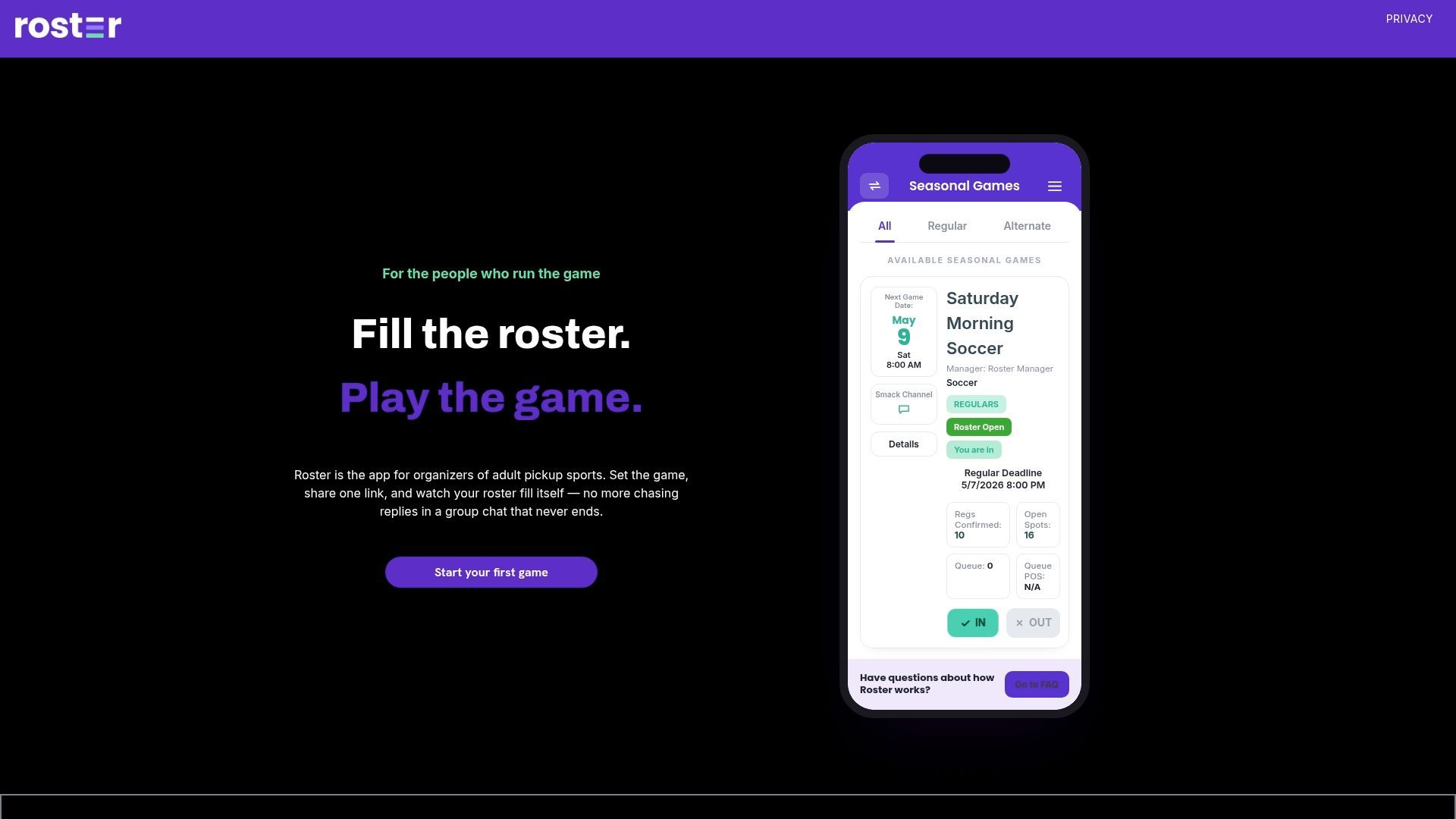
That's the moment to move from a plain link to a managed app: when tracking payments and alternates by hand starts costing you more time than the game itself. A platform keeps regulars, subs, and payment status in one place so you can actually watch the game instead of managing a spreadsheet from the sideline. Check out the game management app to set up your next roster in a few minutes.
Sources
Recommended