
How to Cancel a Pickup Game Without Losing Half Your Roster
How to Cancel a Pickup Game Without Losing Half Your Roster

The moment you decide to cancel, update the event status in your central scheduling app first. That single edit becomes the record everyone else points back to. Next, send one concise final cancellation notice through the app's push or email alert, then follow with a short secondary message to your group chat or SMS thread so nobody misses it in a flooded inbox.
Keep the message tight. It needs three things:
- The event name and time so there's zero confusion about which game got scratched
- A brief reason (weather, low turnout, venue closure, opponent no-show)
- What happens next: a makeup date, a refund, a credit, or a plain "details to follow"
Skip the paragraph of context. Nobody reads it, and the players who show up anyway aren't the ones who read your explanation. They're the ones who never got the message at all.
Key Takeaways
A canceled pickup game only stays organized when one app entry is the single source of truth and every notice fits on one screen.
| Point | Details |
|---|---|
| Update the app first | Change the event status before sending any message so it becomes the record everyone checks. |
| Use a two-stage cadence | Send a status watch when risk appears, then a separate final call by your published deadline. |
| Keep messages short | Fit the event name, reason, and next step on one screen to avoid duplicate questions. |
| Decide money rules upfront | State whether fees are refunded, credited, or absorbed in the same message as the cancellation. |
| Automate the flow with Roster Sports | Roster Sports pushes cancellation alerts, tracks RSVPs, and auto-fills waitlists for makeup games. |
Table of Contents
- Immediate Action Checklist: Confirm, Update, Notify
- Copy-Paste Templates for Weather, Low Turnout, and Venue Issues
- How Do You Update the App Without Confusing Everyone Else?
- Money and Refunds: What Happens to Field Fees and Deposits?
- Rescheduling and Makeup Games: Setting a Fair Window
- What Can You Do to Prevent the Next Cancellation?
- Why Brevity and One Source of Truth Actually Matter
- Automate the Whole Cancellation Flow With Roster Sports
- Templates and Protocols Worth Bookmarking
- Frequently Asked Questions
- Sources
Immediate Action Checklist: Confirm, Update, Notify
The first half hour after you decide to cancel a pickup game determines whether ten people show up to an empty field. Work through this in order, not all at once.
- Confirm the call. State the decision and the reason in one sentence to yourself or a co-organizer. "Canceling Tuesday's 7pm game, field is flooded" takes five seconds and removes any ambiguity later.
- Edit the central record immediately. Change the event status and add a timestamped note. If two people can edit the schedule, only one touches it during a cancellation.
- Notify in sequence, not all at once. Push the app update first. Then post to group chat or SMS. Then call team captains or venue staff directly, since they're the people least likely to check a group thread in real time.
- Pin the update and freeze other channels. Once the app shows "Canceled," stop anyone from posting "is this still happening?" threads that bury the real answer.
Updating the central calendar before broadcasting anywhere else, and confirming receipt through read status rather than chasing manual replies, keeps last-minute schedule changes from turning into a game of telephone.
Pro Tip: Assign a single decision owner for the season, even if it's just you. Games with two people who can both call a cancellation almost always end up with one canceling and one insisting it's still on.
Copy-Paste Templates for Weather, Low Turnout, and Venue Issues
Every cancellation message should fit on one phone screen. Longer messages get skimmed, and skimmed messages get misread. Here are working templates you can adapt in seconds.
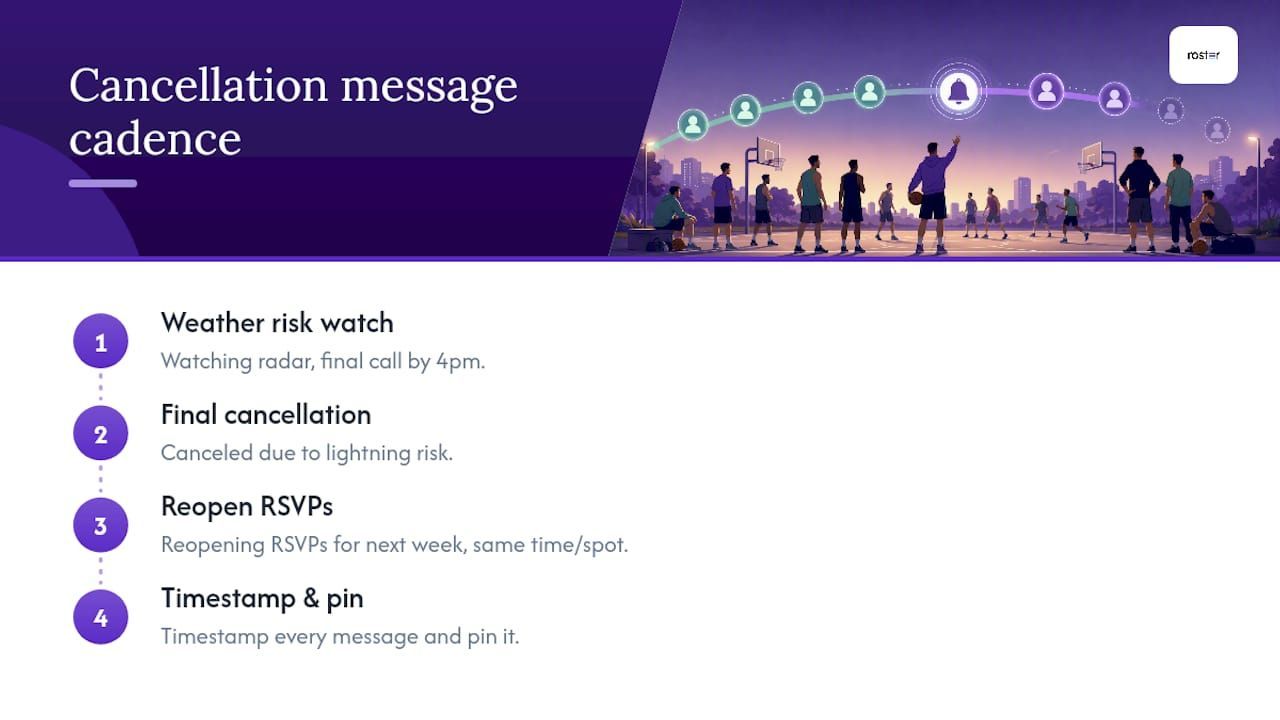
Weather, status watch (send when risk appears, hours ahead): "Heads up: storms forecast for tonight's 6pm game. Watching radar, final call by 4pm."
Weather, final call: "Tonight's game is canceled due to lightning risk. Makeup date posted by Thursday. No action needed."
Low player count: "Canceling Saturday's game, only 6 confirmed. Reopening RSVPs for next week, same time/spot."
Opponent no-show or venue closure: "Field closed for maintenance, tonight's game is off. Refund/credit details below, makeup TBD."
A two-stage cadence, one message when risk first appears and a separate, final confirmed message, cuts down on the guessing game that floods group chats with "is it still on?" questions.
The single biggest driver of duplicate questions after a cancellation isn't a bad decision. It's a message too long for anyone to actually finish reading.
Timestamp every message and pin it wherever your group lives. That pinned line is what a returning player checks Thursday morning, not a scroll through 40 unrelated texts.
How Do You Update the App Without Confusing Everyone Else?
Set the event status to "Canceled" directly in the scheduling app and write the reason plus next steps into the event details, not a separate message that can drift out of sync with the record.
- Use built-in RSVP or read-receipt tracking so you can see who has actually seen the cancellation instead of manually texting each person to confirm.
- Once the app reflects "Canceled," post one short line to group chat linking back to that event, so the app stays the single reference point.
- Call anyone unlikely to check the app, like a venue contact or a captain covering for you that week.
- If the app supports waitlists and auto-fill, explain in the same update how the makeup RSVP will work for people currently on that list.
Pro Tip: Never let group chat become a second version of the truth. If someone asks a question there, answer it, then point back to the app entry rather than re-explaining the whole situation in the thread.
Money and Refunds: What Happens to Field Fees and Deposits?
Decide your financial approach before you send the cancellation, not after someone asks about it. Pick one: a contingency fund covers the loss, players get credit toward next week, you issue a partial refund, or you state plainly that field fees are non-refundable this time.
- State the financial outcome in the same message as the cancellation, not a follow-up sent hours later.
- Document the decision in the event notes so anyone checking later sees the same answer you gave in chat.
- If you're processing refunds, note the timeline (same day, within a week) and link to a payment confirmation so players see the transaction, not just your word for it.
- If a venue contract still requires payment despite the cancellation, say so directly and explain how that cost gets absorbed or split.
Making refund and credit rules explicit up front, rather than case-by-case, is what actually prevents the "wait, do I get my money back?" messages that eat your whole evening.
Rescheduling and Makeup Games: Setting a Fair Window
- Offer a makeup window fast. A common approach is proposing a new date within 48 to 72 hours of the cancellation and reopening RSVPs in the app right away, following the same short-turnaround logic recommended in weather cancellation protocols.
- Use RSVP tracking to gauge real interest. Set a minimum roster threshold (say, 8 of your usual 10) before committing to hold the makeup.
- Document and close the loop. Once you know whether the makeup is happening, announce it, confirm how credits or refunds apply, and mark the event resolved so nobody's still guessing next week.
- If the venue's unavailable, say so immediately and hand over the refund or credit plan rather than leaving the makeup open-ended for weeks.
Leaving a cancellation "TBD" indefinitely is worse than firmly canceling it. Players plan around certainty, not possibility.
What Can You Do to Prevent the Next Cancellation?
Name a decision owner and a backup for the days you're unavailable, and publish your decision window (like "final call two hours before an evening start") at the start of the season, not in the middle of a crisis. That single step, naming who decides and when, removes most of the confusion that turns a routine cancellation into a group chat argument.
- Run the two-stage cadence every time: a status watch when risk first shows up, a final call by your published deadline.
- Keep two or three backup venues and their contact details on hand, not scrambled together after a field closes.
- Build a confirmation cascade into your season: initial invite, a week-out reminder, a 48-hour reconfirmation, and a match-morning check. Teams using a structured reminder sequence see fewer last-minute no-shows.
Pro Tip: Publish your cancellation policy in the same message where you first announce the season. Players who know the rules on day one rarely complain about them on cancellation day.
Why Brevity and One Source of Truth Actually Matter
Every organizer eventually sends a cancellation message too long for anyone to finish. It gets skimmed, misread, or ignored entirely. Brevity isn't a style preference. It's what actually gets read.
A single source of truth, one app entry everyone checks, stops the forwarded screenshots and secondhand summaries that turn a clean cancellation into a dispute. Write your rules down before the season starts. Nobody argues with a policy they already agreed to.
Automate the Whole Cancellation Flow With Roster Sports
Running this checklist manually every week works, until the week you're canceling from a parking lot in the rain with ten unread texts piling up. Roster Sports centralizes the event status, pushes notifications the moment you cancel, tracks who's actually seen the update, and reopens RSVPs automatically when you propose a makeup.
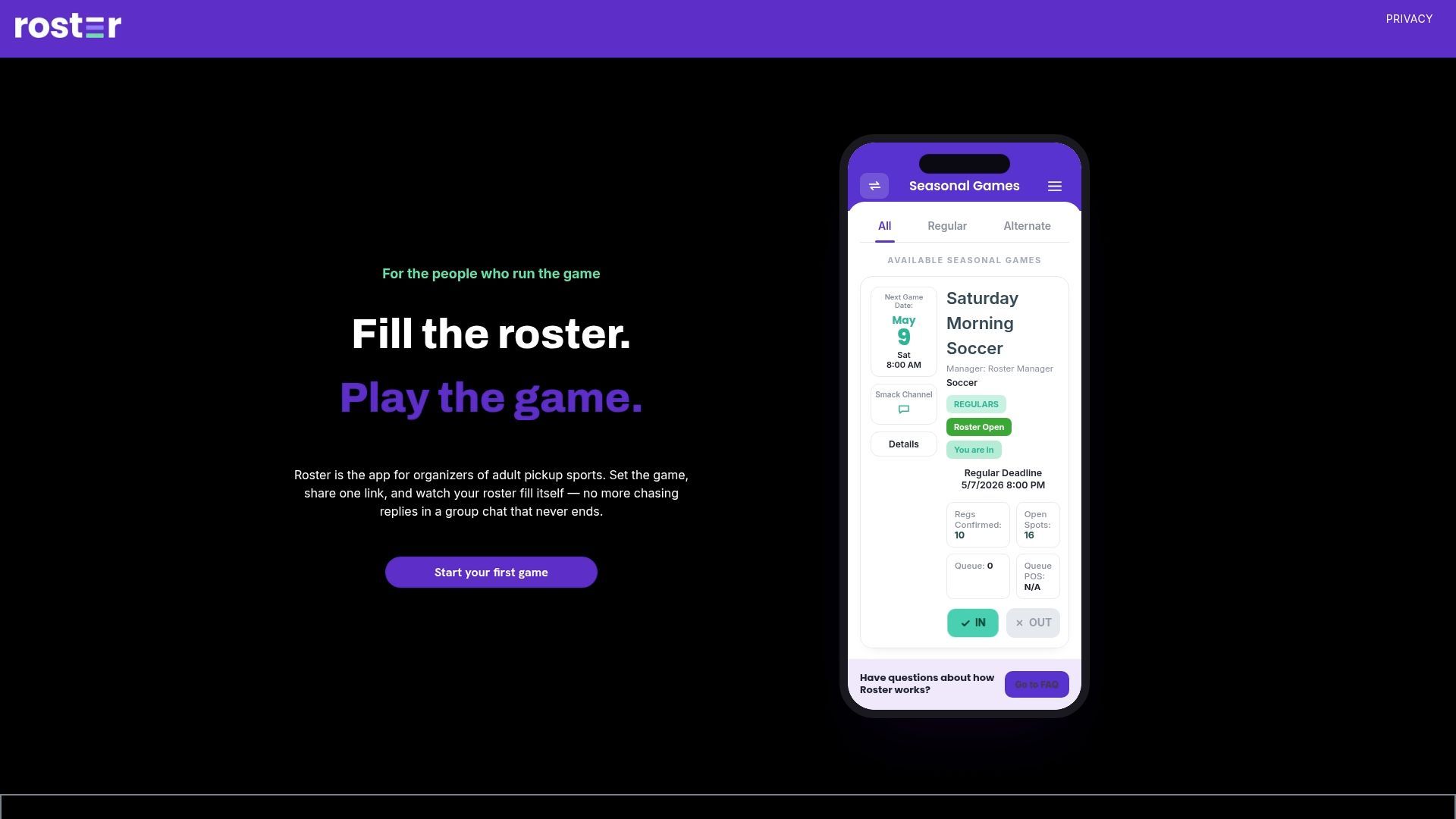
Cancel the event in the app, and it notifies every rostered player at once, no separate group chat message required. If you're pulling from a waitlist for the makeup, Roster fills open spots automatically and notifies the next person in line without you manually messaging anyone. It also keeps a record of who owes what, so refund and credit conversations don't rely on memory. If you're managing a recurring pickup game and tired of chasing replies across three different apps, see how Roster Sports handles scheduling and RSVPs and set up your first event today.
Templates and Protocols Worth Bookmarking
A few outside resources back up the playbook above with ready-made language you can adapt for your own group.
The cancellation script and decision-window framework from athletic administration circles lays out the two-stage cadence in more detail than most pickup organizers need, but the decision-owner logic scales down easily. The weather cancellation and rainout templates are worth keeping saved on your phone for the nights you're watching a radar map instead of the game. For the season-long prevention side, the confirmation cascade breakdown explains why a week-before reminder and a match-morning check matter more than most organizers assume. And if you're building out simple player-facing notes about gear or court rules alongside your cancellation policy, Play On Pickle's beginner guide is a useful reference for keeping that language approachable.
For the app-side workflow itself, from RSVP tracking to waitlist auto-fill, the Roster Sports feature overview and scheduling and roster tools pages walk through how the centralized status update replaces the manual group chat chase entirely.
Frequently Asked Questions
How do I cancel a pickup game without causing confusion? Update your central scheduling app to "Canceled" first, then send one short final notice through the app's push or email alert, followed by a brief secondary message in group chat. That order keeps the app as the single record everyone can check later.
What should a pickup game cancellation message include? The event name and time, a brief reason for the cancellation, and the next step, whether that's a makeup date, a refund, a credit, or a note that details are coming soon. Keep it short enough to read in one glance.
Do organizers have to refund field fees when they cancel? It depends on your policy and whether the venue itself refunds you. Decide in advance whether you'll issue credits, partial refunds, or absorb the cost through a contingency fund, then state that decision in the same message as the cancellation.
How far in advance should I announce a weather-related cancellation? Send a status watch message as soon as risk appears, hours ahead if possible, then follow with a final call by a set deadline (many organizers use two hours before an evening start). This mirrors National Weather Service lightning guidance, including the 30-30 rule: suspend outdoor activity if lightning is seen and thunder follows within 30 seconds, and wait 30 minutes after the last thunder before resuming.
What's a reasonable window for scheduling a makeup game? Proposing a makeup date within 48 to 72 hours of the cancellation and reopening RSVPs right away tends to hold attendance best, since players are still mentally set up for that week's game.
How does Roster Sports help with pickup game cancellations? Roster Sports lets you set an event to "Canceled" once, then automatically notifies every rostered player, tracks who's seen the update, and can auto-fill open spots from a waitlist if you schedule a makeup game.
Sources
Recommended