September 17, 2026
Organizers: 5 Pre Session Decisions to Organize Pickup Pickleball
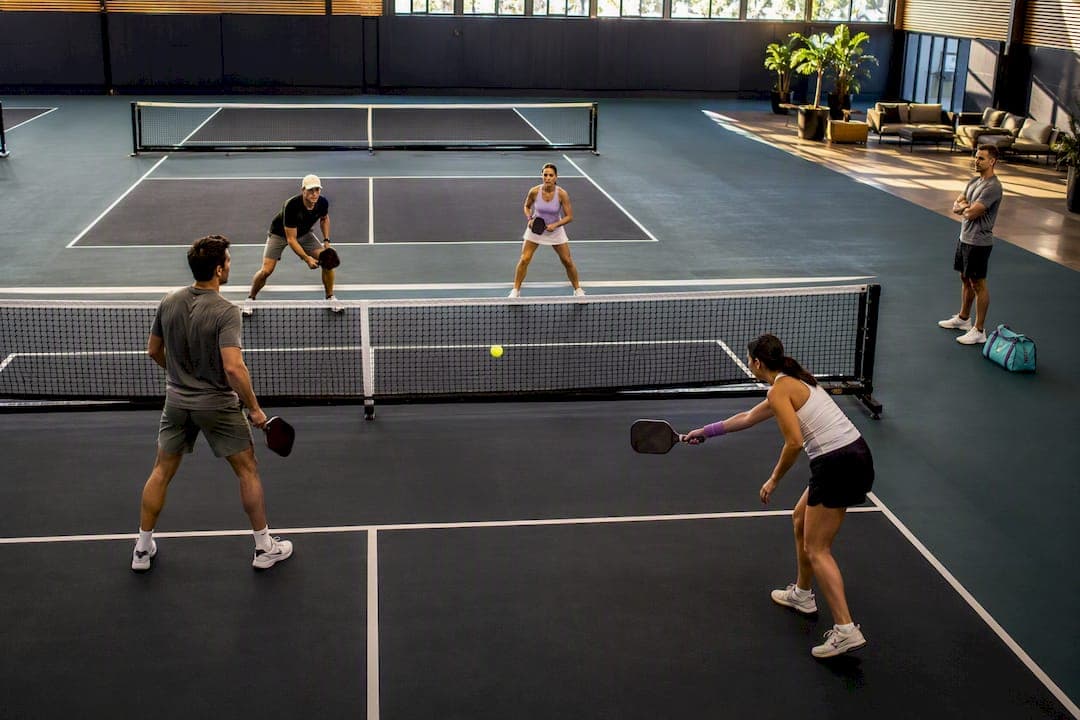
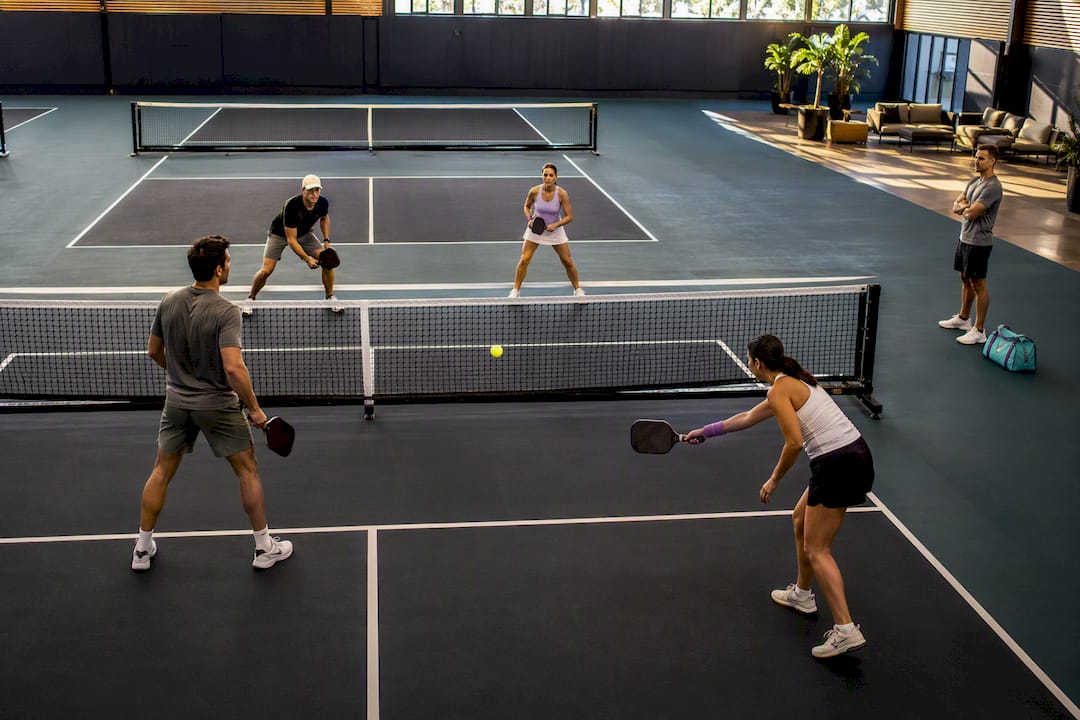
The fastest way to organize pickup pickleball is a single signup with slot limits matched to court capacity, an automated waitlist, reminders sent the day before, and a rotation everyone can see. Add an app like Roster to handle the roster and backfill automatically, and you cut no-shows and reclaim the hours you used to spend on group texts.
TL;DR:
- Using an app like Roster automates roster management, reduces no-shows, and simplifies communication, saving hours of manual effort.
- Setting a strict registration window, confirming court capacity, and collecting payment upfront help prevent confusion and reduce late cancellations.
- Managing waitlists with clear cancellation deadlines and assigning a dedicated coordinator ensures the session runs smoothly without last-minute gaps.
- Offering separate formats, such as rotation for casual players and King of the Court for competitive players, improves fairness and keeps everyone engaged.
- Consistent scheduling, recognition of regulars, and clear skill guidance encourage player retention and foster an inclusive, predictable pickup environment.
Table of Contents
- Pre-Session Checklist Before You Open Registration
- Which Pickleball Format Fits Your Group Size?
- How Do You Set Up Signups Without the Group Chat Chaos?
- What's the Best Way to Handle No-Shows and Cancellations?
- Day-of Templates That Keep Courts Full and Players Moving
- How Do You Keep Pickup Players Coming Back?
- Balancing Fair Play With Competitive Energy
- Try Roster for Your Next Pickup Session
- Tools Worth Bookmarking
- Sources
- FAQ
Pre-Session Checklist Before You Open Registration
Every smooth pickup session traces back to five decisions made before a single signup link goes out. Skip one and you'll spend the session fielding questions instead of playing.
- Confirm your courts. Lock in the number of courts and calculate your target player count from that number, not the other way around.
- Pick a format and set slot limits to match. Round robin, open play, or King of the Court each demand different player counts (more on that below).
- Decide on fees upfront. If you're charging, set the payment method at signup, not at check-in.
- Choose one communication channel. Email list, group chat, or a dedicated app, but only one, and tell every registrant it's the only place official updates will appear.
- Set your registration window. Decide when signups open, when they close, and turn on automatic reminders and a waitlist so you're not manually tracking who dropped and who's next.
Get these five right and the rest of the session mostly runs itself. Get them wrong, and you'll be answering "wait, which court am I on?" texts mid-rally.
Which Pickleball Format Fits Your Group Size?
Open play works for casual, drop-in sessions where players arrive and rotate onto open courts as they clear. It's the most accessible format for recreational groups because there's no bracket to manage, just a signup with slot limits tied to court capacity so nobody shows up to a fully booked lineup.
Round robin rotates partners systematically so everyone plays with and against different people over the course of the session. King of the Court keeps a competitive edge: winners stay on the court, losers cycle out, and skill gaps sort themselves out fast.
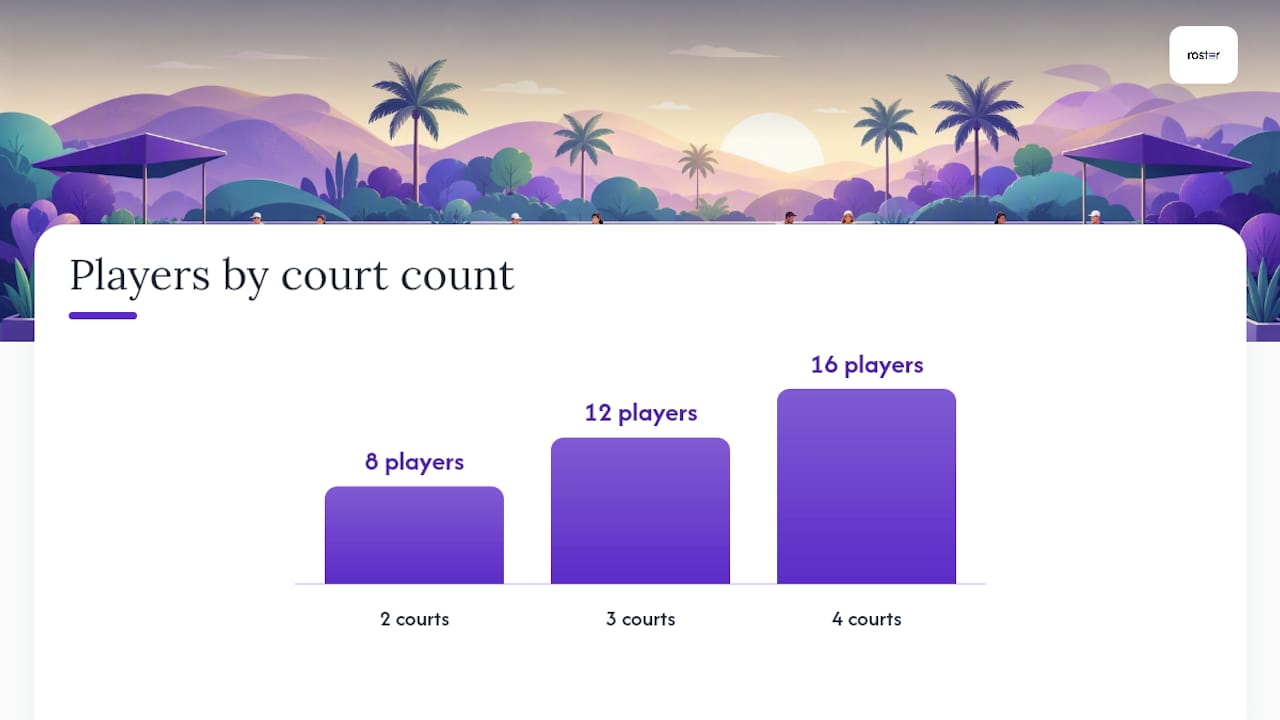
Your player count should follow simple court math:
- 2 courts: 8 players for round robin (4 per court, clean rotation)
- 3 courts: 12 players
- 4 courts: 16 players, though this is where you should consider splitting into two pools by skill level
For groups larger than about twenty players, split into pools rather than running one giant rotation. This helps keep wait times reasonable and sessions to a length most casual players find manageable. Format choice directly drives your signup limit: a round robin needs an exact multiple of four per court, while open play tolerates a little overflow since courts turn over on their own.
How Do You Set Up Signups Without the Group Chat Chaos?
Fragmented communication is the single biggest reason pickup sessions fall apart. Half the group hears about a court change over text, the other half finds out when they show up to the wrong court. Fixing it takes four steps.
- Pick one official channel. An email list, a dedicated group chat, or a roster app, and make it the only source of truth. Centralizing communication in one place eliminates the missed updates that come from juggling three group texts and a paper sign-up sheet.
- Create a signup with slot limits equal to your court capacity. Set a clear registration window that opens and closes with enough lead time to manage the waitlist before the session begins.
- Turn on automatic reminders 24 to 48 hours out. A short reminder that asks for a quick confirmation catches the players who forgot they signed up three weeks ago.
- Collect payment at signup if you're charging fees. Paid registration at the time of signup reduces no-shows and skips the awkward cash exchange at check-in.
Pro Tip: Ask players to confirm with a one-word reply ("in" or "out") to your reminder message. It takes them five seconds and gives you a real headcount hours before anyone shows up, instead of guessing.
What's the Best Way to Handle No-Shows and Cancellations?
The waitlist is what separates a session that runs itself from one where you're texting favors at 7 a.m. asking someone to fill in.
- Use an automated waitlist that bumps the next person into an open roster spot the moment someone cancels.
- Set a clear cancellation deadline well before the session and state it plainly in the signup so there's no confusion about what counts as late.
- Send a short reminder that requires a quick yes or no, especially for sessions above 12 to 16 players where a single unconfirmed spot can throw off court math.
- Keep a courtside protocol for alternates: one visible list, one point of contact who calls in the next waitlisted player when a spot opens.
Pro Tip: Assign one person, even informally, as the "waitlist captain" for each session. Splitting that job across the group chat guarantees it gets missed the one time it actually matters.
Day-of Templates That Keep Courts Full and Players Moving
The best pickup sessions look almost boring from the outside because nobody's standing around confused. That's the goal.
- Post a courtside schedule or rotation card listing every player's name, court number, and round, printed or on a clipboard at check-in.
- Use numbered paddle clips or a whiteboard so players can glance over and know their current court without asking you.
- Announce round changes out loud and put one volunteer or captain in charge of the clock, so rounds don't run long because everyone's mid-rally.
- Keep scoring optional for casual rounds. Competitive players can track it themselves; nobody else needs to.
- Prioritize equal play time and smooth rotation over anything else. That's what brings people back next week.
A round-robin generator can build this schedule for you in minutes, handling partner rotation and court assignments automatically so you're not sketching brackets on a napkin the night before.
How Do You Keep Pickup Players Coming Back?
A pickup group survives on predictability, not novelty. Publish your schedule on a consistent cadence, same day, same time, same location, so players can plan around it without checking a group chat every week.
- Run occasional bring-a-friend nights or rotate "host" credit among regulars to spread the organizing load and bring in new faces.
- Publicly recognize regulars who show up consistently or help with setup; small acknowledgment goes further than people expect.
- Give newcomers a short note on skill expectations and warm-up etiquette before their first session so they don't walk in blind.
- Ask for quick feedback after sessions, even a one-line text, and actually act on patterns you see repeated.
Sessions that feel genuinely inclusive tend to have lower dropout over time than ones that quietly favor the strongest players.
Balancing Fair Play With Competitive Energy
Every organizer eventually hits the same wall: half the group wants a relaxed rotation where everyone plays everyone, and the other half wants King of the Court intensity where the strongest players stay on the court all night. Neither side is wrong, and pretending you can please both with the same session usually pleases nobody.
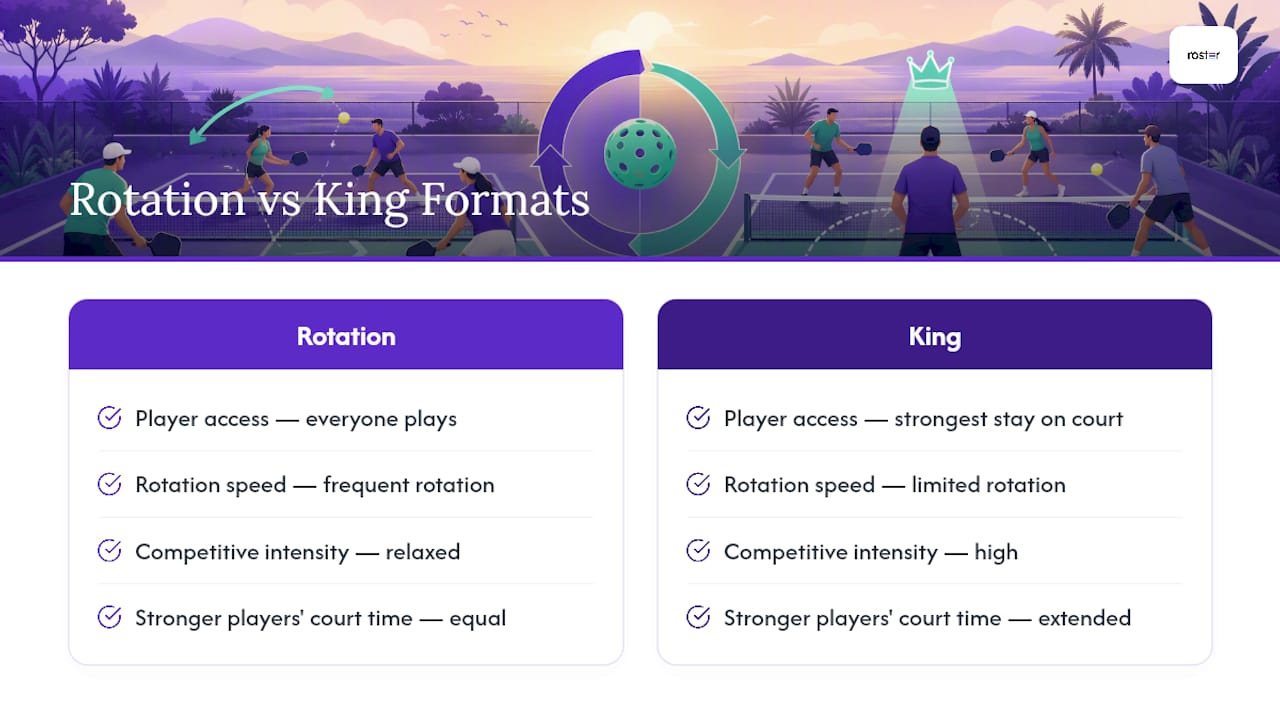
The fix I've seen work best is splitting by pool rather than by rule. Run a King of the Court format on one or two courts for the players who want it, and a straight rotation on the rest. Transparency does more work than any specific rule choice. Post the format for each court before the session starts, and let players self-select.
Tools that automate the roster and waitlist matter here too, not because they solve the social dynamics, but because they free you to actually manage them. When you're not chasing headcounts in three group chats, you have the bandwidth to notice the newer player getting steamrolled on court two.
— Daniel
Try Roster for Your Next Pickup Session
Apps designed for pickup group management automate rosters, fill open spots from waitlists in real time, send reminders to reduce confirmation chasing, and provide every player with a single shared link to simplify updates. That's the whole point: less time spent on logistics, more time actually on the court.

If you're currently tracking RSVPs by hand or losing players to a scheduling mix-up, it's worth setting up your next session inside the Roster app instead. Create your first game, set your slot limit, share the single link with your group, and let the waitlist handle the rest.
Tools Worth Bookmarking
A few tools handle the heavy lifting once your process is set:
- A round-robin generator for printing court schedules and partner rotations.
- An organizer how-to guide covering open play setup and volunteer roles.
- A group organizing tool showing how signup and waitlist patterns work in practice.
Sources
- How to Organize a Pickleball League, Tournament, or Open Play
- Free Pickleball Round Robin Generator | Schedule & Bracket Maker | PlayRez
- Organize Pickup Games & Social Play | Picklebeast — Picklebeast
FAQ
How Many Players Do I Need Per Court?
Round robin needs four players per court for a clean rotation, so two courts fit eight players and three courts fit twelve. Open play tolerates a little overflow since courts turn over as players rotate in and out.
What's the Easiest Way to Manage a Pickleball Waitlist?
An automated waitlist that bumps the next signed-up player into an open roster spot the moment someone cancels, which is exactly what an app like Roster handles without any manual tracking.
How Far in Advance Should I Open Signups?
A week before the session is a common starting point, with registration closing around 12 hours before play so you have time to manage the waitlist and send reminders.
Should I Collect Payment When Players Sign Up?
Yes, if you're charging fees. Collecting payment at signup reduces no-shows and skips the cash-handling conversation at check-in.
What's the Best Format for a Mixed Skill-Level Group?
Split into two pools, a rotation-focused court for casual players and a King of the Court format for the more competitive group, rather than forcing everyone into one format.